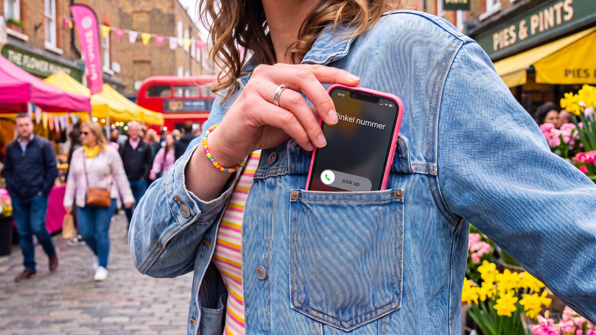
Seeing "Private Number" or "Number Withheld" flash up on your phone can be confusing, whether you're the one hiding your number or the one receiving the call. This guide covers both sides: how to make a private call yourself, and what it means when someone calls you from a private number.
What does "private number calling" mean?
A private number call is one where the caller's phone number is deliberately hidden from the person they're calling. Instead of seeing a phone number on their screen, the recipient sees "Private Number", "Number Withheld", or "Unknown" on their caller ID.
This can happen in two ways: the caller has actively chosen to hide their number for that call, or their line is permanently set to withhold caller ID.
How to make a private number call in the UK
To hide your number for a single call, dial 141 before the full number, including the area code. This applies whether you're calling from a mobile or a landline number.
Example: to call 020 1234 5678 without showing your number, dial: 141 then 02012345678
The person you're calling will see "Number Withheld" or "Private Number" instead of your phone number.
Hiding your number for every call
If you want your number withheld permanently, rather than dialling 141 each time, you can set this up through your network or phone provider. Once permanent withholding is active, dial 1470 before a number if you want your number to show for one specific call.
Why would you want to hide your number?
There are several common reasons people choose private number calling:
- Keeping a personal number private when contacting someone for the first time
- Calling clients, suppliers, or customers without sharing a personal mobile number
- Preventing a number from appearing in someone else's call log
- Making a call without expecting or wanting a call back
Hiding your number for business calls
If you run a business or work from your personal mobile, dialling out with your private number showing can mean clients calling you back on a line you'd rather keep separate from work. A business phone system lets you make and receive calls under one business number, so you never need to hide your personal number manually or worry about clients saving your private mobile number in their contacts.
An alternative is a virtual phone number, which works entirely through an app on your existing mobile. You keep your own device, but every call goes out and comes in under your business number instead of your personal one, so there's nothing to hide or withhold manually.
Who calls from a private number?
Not every private number call is someone deliberately hiding their identity. Common sources of calls from a withheld number include:
- Businesses and call centres that route calls through systems configured not to display a number
- Automated systems and robocalls, which often show as private and disconnect immediately once the line is answered
- *Someone using 141 (or 67/#31#) to withhold their number on purpose
If a private number call disconnects the moment you answer, it's very likely an automated system checking whether your line is active, rather than a genuine caller.
What to do about private number calls
If you keep getting private calls you don't want:
- Check your phone's settings for a "silence unknown callers" or "block private numbers" option
- Let unknown calls go to voicemail; legitimate callers will usually leave a message
- Be cautious about calling back a missed private number, as this can confirm your number is active to automated systems
If your own number isn't hiding when you expect it to:
- Make sure you dialled 141 before the full number, including the area code
- Check there were no pauses or spaces while dialling
- If you've set permanent withholding, confirm you haven't accidentally dialled 1470
Are there limits to private number calling?
Yes. Some organisations don't accept calls from withheld numbers, for security reasons. This commonly includes:
- Emergency services
- Banks and financial institutions
- Certain customer service lines
If you regularly need to reach these types of numbers, you'll need to show your number for that call, even if you normally keep it hidden.